Route the show.
Roll the decks.

Matrix routing and HyperDeck control in one native Mac application — with the switchers, converters, cameras and lighting of the same rig alongside.

Download for Mac

Version 1.7.16 · macOS 15+ · Apple silicon · free beta

Native macOS application No account, no cloud Free while in beta
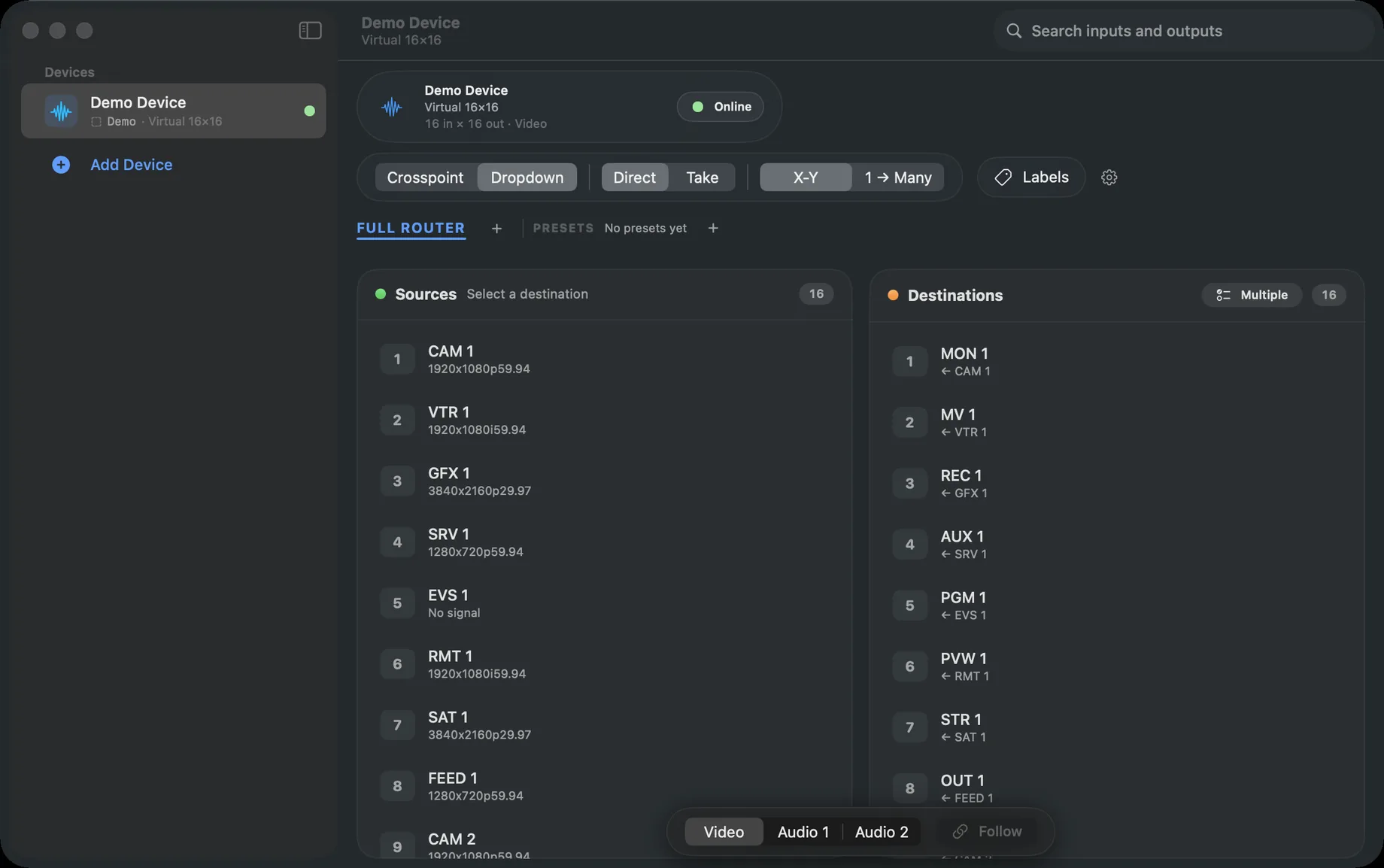
RTR Control's Dropdown routing view: sources with their input resolutions on the left, destinations with their current feeds on the right

Interactive demo

Try the routing surface.

A working miniature of the router panel. Route from the crosspoint grid or the Dropdown view, and switch to Take to stage changes and cut them together — exactly as in the application.

Demo Router
Virtual 8×68 in × 6 out · Video
Online

The full application drives matrices up to 512×512 — with pinned headers, zoom, search, locks, breakaway and live signal status.

Routing

The router, the way an operator expects it.

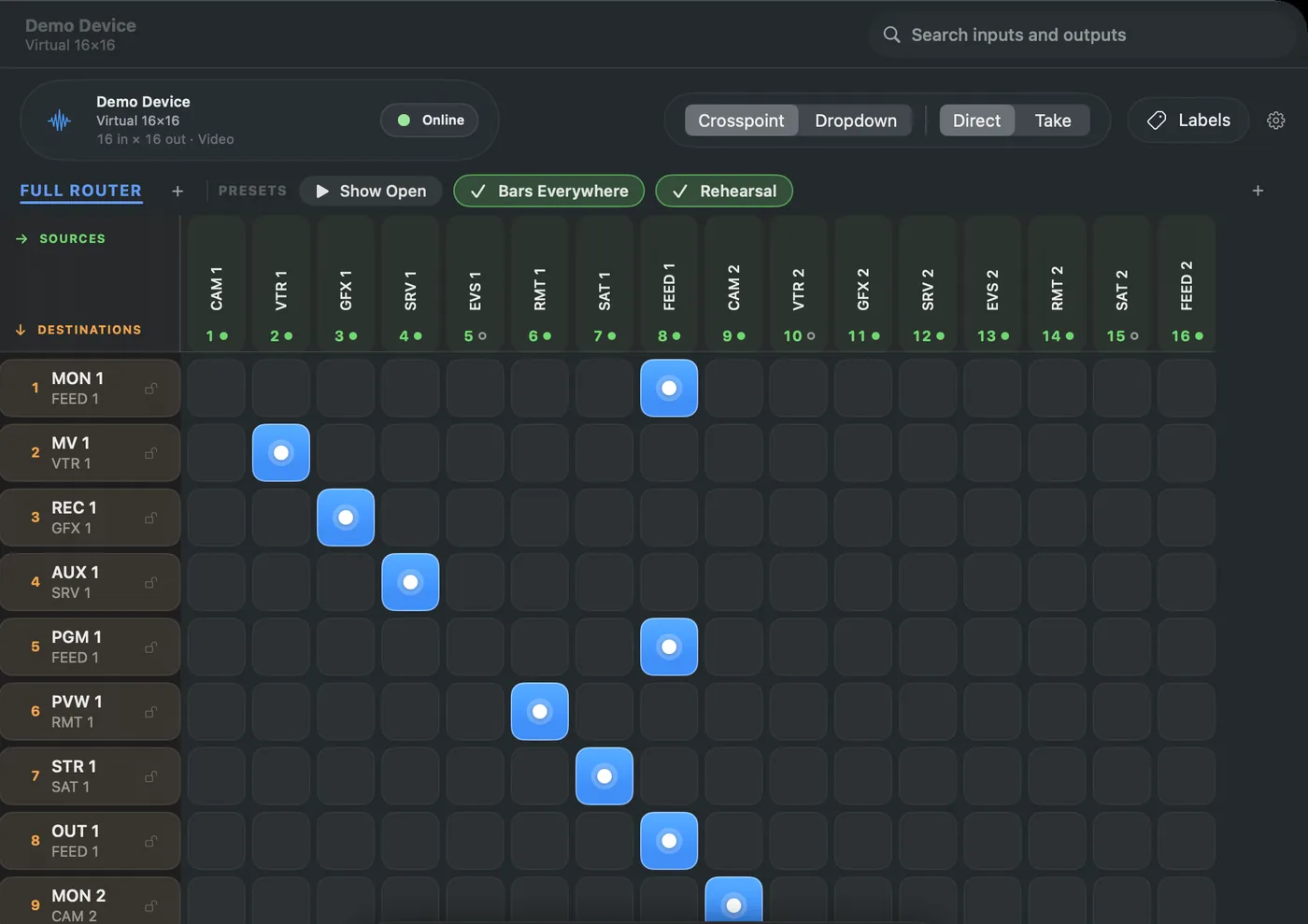
Crosspoint grid or X-Y Dropdown, Direct or Take, presets and virtual panels — on any matrix from 12×12 to 512×512.

The crosspoint matrix: sources across the top, destinations down the side, routed crosspoints lit in blue, with a preset strip above

Also on every router: search inputs and outputs from the toolbar, 1 → Many routing, labels, lock or unlock every output at once, Bonjour discovery, and panels, presets and labels copied from another Mac on the network.

HyperDeck

Every deck, one press — and proof of it.

Group your recorders and drive them together. Then copy the day's clips to the server, verified byte for byte, before a single card is erased.

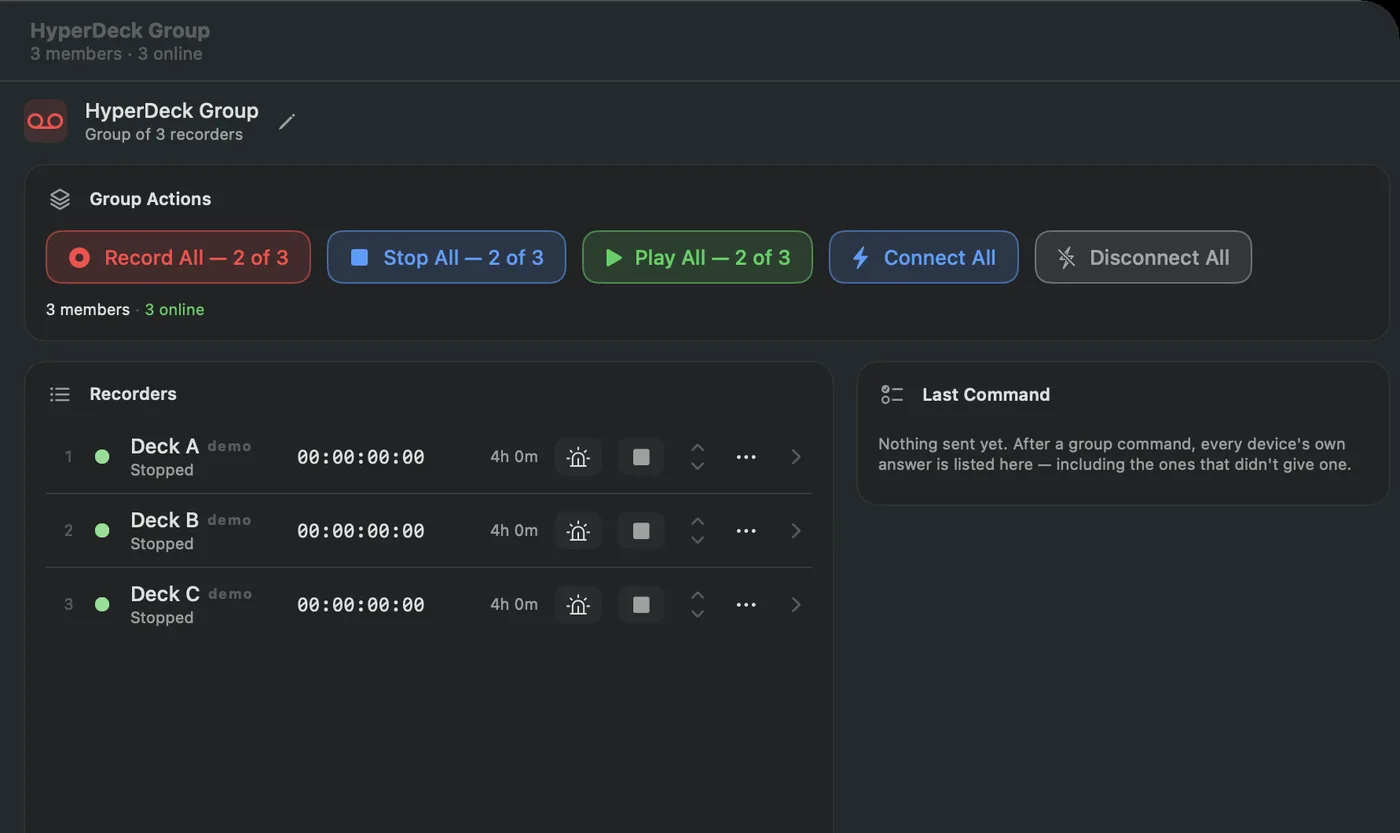
A HyperDeck group panel with Record All, Stop All and Play All, and each deck listed with its transport state and timecode
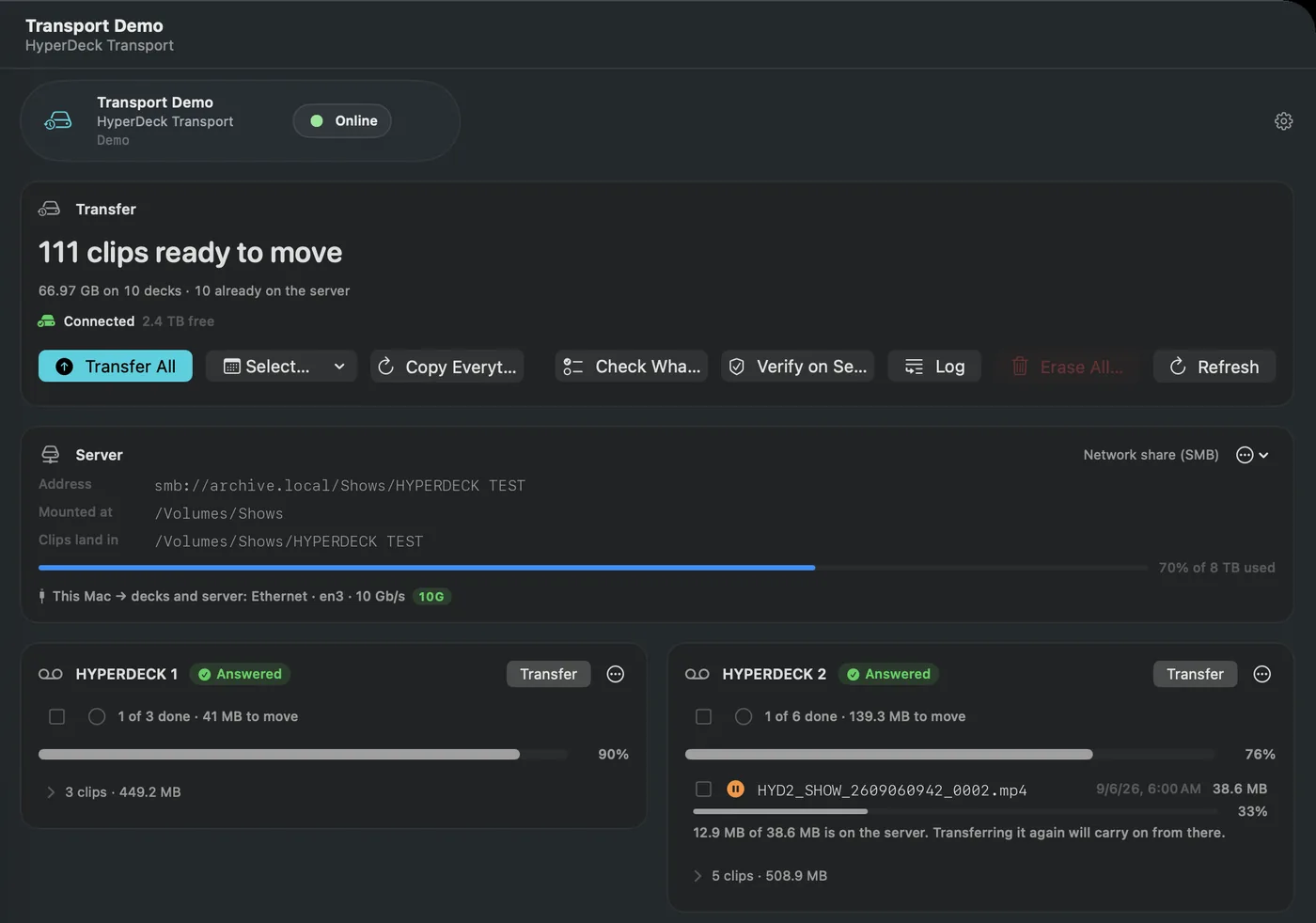
The Transport panel copying clips from three HyperDecks to a server, with per-deck cards, progress and a verified count
01

Record

Roll the whole group from one button, with the answer from each deck.

● REC 10 of 10 · every deck answered
02

Copy

Pull the clips to the server, oldest first, resuming what was interrupted.

HPR-04 / clip0007.mov · landed beside, never over
03

Verify

Read every clip back and compare it with what the deck holds.

27 of 27 clips verified by checksum
04

Erase

Format the card only once the deck is confirmed and every clip is proven.

Slot 3 · exFAT · deck confirmed, timeline empty

Devices

Speaks your gear's language.

Native protocol implementations, straight to the hardware. No middleware, no drivers to install.

HardwareProtocol
Routers
Blackmagic VideohubVideohub Ethernet · Bonjour discovery
Lightware MX2LW3 — with live input signal & resolution
Ross Ultrix & SW-P-08 routersPro-Bel SW-P-08
Evertz & Quartz-compatible routersQuartz Type-1
AJA KUMOHTTP REST
Grass Valley · Utah Scientific · ImagineVia their SW-P-08 / Quartz emulation modes*
Recorders & conversion
Blackmagic HyperDeckHyperDeck Ethernet protocol · TCP
HyperDeck TransportClips to SMB · AFP · NFS · FTP · WebDAV
Blackmagic Teranex AV2Teranex Ethernet protocol · TCP
Blackmagic UltraStudio & DeckLinkDeckLink API — local to this Mac
Switching & monitoring
Blackmagic ATEM switchersATEM protocol · UDP — including SuperSource
Blackmagic ATEM Constellation auxAux routing via Videohub protocol
Blackmagic MultiView 16Videohub Ethernet — detected automatically
Cameras & lighting
PTZ cameras — PTZOptics · Sony · genericVISCA over IP · TCP or UDP
Panasonic AW-RP & Sony RM-IP500 controllersPanel selection drives Links & tally
DMX lightingArt-Net 4 · unicast or broadcast
Custom
Custom devicesRaw TCP / UDP — user-defined commands

* Standard emulation modes offered by those platforms.

Principles

Built to be believed.

Live production depends on accurate state. Every surface in the application follows the same three rules.

Reported, not assumed

Group actions answer device by device. Changes are confirmed by reading them back from the hardware, and a control outside a device's command set is disabled with the reason stated.

Guarded on air

Take stages changes behind an explicit confirmation. Locks protect critical outputs. ⌘Z reverses routing and configuration changes alike — never a destination modified since.

Rehearse first

A simulator for every device class, modelled on real hardware. A whole rig builds before the gear arrives and exports as one .rtrconfig file, previewed before import.